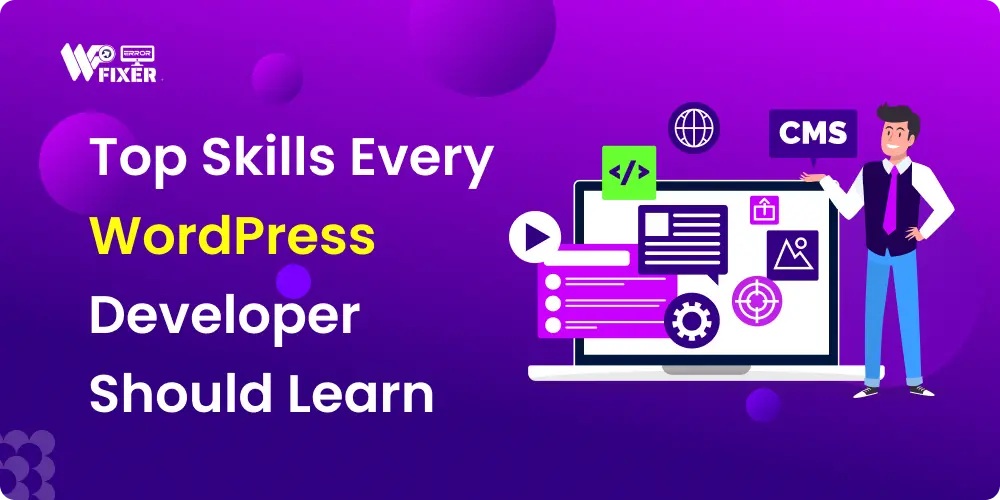
WordPress is no longer just a simple blogging platform, it’s a robust application framework powering over 40% of the internet.
If you’re looking to move beyond simple site setup and theme customization and truly become a highly valued WordPress developer you need to master a specific set of technical skills.
This guide breaks down the essential languages, tools, and practices that separate a basic user from a professional developer. Whether you’re a complete beginner or an expert looking to level up, mastering these skills is the key to building fast, secure, and custom websites that clients actually pay good money for.
The Foundational Languages: The WordPress Core
WordPress is built on a specific tech stack. To customize it beyond the basic settings, you have to speak its language.
1. PHP: The Engine of WordPress
PHP is the backbone of WordPress. Knowing it allows you to create custom functionality and truly understand how the platform works.
Why it matters: PHP runs on the server side, handling things like user logins, pulling data from the database, and generating the HTML pages your users see.
Key Concepts to Master:
Variables, Loops, and Functions: Basic programming logic.
Object-Oriented Programming (OOP): Crucial for writing clean, reusable, and modern code, especially when developing custom plugins.
The WordPress Loop: Understanding how WordPress fetches and displays posts and pages using PHP functions.
2. HTML, CSS, and JavaScript: The User Experience
These three languages define everything a user sees and interacts with in their browser.
HTML (Structure): Defines the content and layout. It’s the skeleton of the website.
CSS (Style): Defines the colors, fonts, spacing, and layout. It’s the clothes and makeup. Tip: Learn CSS frameworks like Bootstrap or Tailwind CSS to speed up development.
JavaScript (Interactivity): The behavior layer. It handles dynamic elements like pop-ups, slideshows, and form validation. Must-Learn: Modern JavaScript (ES6+) and the basics of React, which powers the WordPress Block Editor (Gutenberg).
WordPress-Specific Expertise
Knowing general coding is great, but a true WordPress developer specializes in the unique architecture of the platform.
1. Deep Dive into the Template Hierarchy
When a visitor clicks a link, how does WordPress know which file to load? The Template Hierarchy is the answer.
The Skill: Understanding the order in which WordPress searches for theme files (e.g., single.php, archive.php, index.php).
Benefit: This skill is vital for building custom themes and figuring out why a specific page isn’t displaying correctly a common source of WordPress troubleshooting.
2. Mastering Hooks: Actions and Filters
Hooks are the developer’s superpower in WordPress. They let you hook into the core system to add or change functionality without ever modifying core files.
Actions: Let you do something at a specific point in the WordPress process (e.g., executing code when a post is saved).
Filters: Let you change data before WordPress uses it (e.g., modifying the content of a post before it’s displayed).
Tip: This is how professional developers customize plugins and themes responsibly, ensuring the site is robust and easy to update during regular WordPress maintenance.
3. Database Interaction (MySQL)
WordPress stores all its content, users, and settings in a MySQL database.
The Skill: Knowing basic SQL queries (SELECT, INSERT, UPDATE, DELETE) and understanding the WordPress database schema (the structure of tables like wp_posts, wp_users).
Common Mistake: Directly modifying the database without a backup. Always use functions like $wpdb or the appropriate WordPress API to interact safely. If your database ever gets corrupted, you’ll need a reliable WordPress error fixing service like Wperrorfixer.
Workflow and Advanced Tools
Coding skills are only half the battle. Professional developers use tools to make their workflow faster, safer, and more collaborative.
1. Version Control (Git)
Git is non-negotiable for modern development. It tracks every change you make to your code, allowing you to roll back mistakes easily.
The Skill: Mastering commands like commit, push, pull, and branch.
Example: If you push an update that breaks the live site, Git allows you to instantly revert to the last working version, saving you from a frantic call to website repair services.
2. Performance Optimization and Security
Building a beautiful site isn’t enough; it must be fast and secure.
Performance: Understand caching (server-side vs. browser caching), image optimization, and how to read Google PageSpeed Insights and Core Web Vitals reports.
Security: Know how to sanitize user input, use secure file permissions, and implement Two-Factor Authentication (2FA). This knowledge is the core of offering effective website maintenance services.
3. Troubleshooting and Debugging
A significant part of a developer’s job is fixing things that break.
The Skill: Knowing how to read PHP error logs, use the WP_DEBUG constant, and systematically isolate the source of an issue (plugin conflict, theme error, etc.).
If all else fails: Sometimes, complex server issues or white screens of death require expert help. This is why having reliable WordPress support and services like Wperrorfixer on speed dial is essential for clients who don’t have the time to deal with complicated fixes.
Conclusion: Keep Learning, Keep Growing
Becoming a top-tier WordPress developer is a continuous process of learning these technical skills, embracing modern PHP and JavaScript, and focusing intensely on security and speed.
By mastering the languages, the WordPress architecture, and the professional workflow tools like Git, you position yourself as a true expert—the kind of professional clients rely on for everything from custom solutions to emergency WordPress error fixer help.
Frequently Asked Questions
Q: Do I need to be a full-stack developer to be a WordPress developer?
A: Not necessarily, but it helps. You need strong front-end skills (HTML, CSS, JavaScript) and the necessary back-end skills (PHP and MySQL) that specifically apply to the WordPress platform.
Q: What is the most common reason a WordPress site breaks?
A: Incompatibility. It usually happens after updating a theme or WordPress Core, and an old plugin or a piece of custom code can’t keep up. The ability to troubleshoot these plugin/theme conflicts is a vital WordPress troubleshooting skill.
Q: Where should I focus my time first as a beginner?
A: Start with HTML and CSS, then move to PHP fundamentals and understanding the WordPress Template Hierarchy. Once you can modify a basic theme, jump into hooks (Actions and Filters).
Need immediate help fixing a slow or broken site? We specialize in WordPress support and technical website repair services.