


WordPress Error Fixing Services - Quick Solution
Our expert team specializes in WordPress support, website repair, plugin conflict fixes, theme issues, security errors. Whether you’re dealing with broken pages, login issues, malware infections, or slow loading speed, we deliver a quick and affordable fix using proven techniques that keep your site secure, stable, and optimized.

Year Experience
Solved Issue
Clients
Employee
WordPress Common Errors, We Fix
When your website stops working the way it should, our WordPress error fixing service is here to help. We resolve all major and minor WordPress errors quickly so your site stays stable, secure, and user-friendly. Below are the most common issues we fix every day through our professional WordPress troubleshooting and website repair services.
Error Establishing a Database Connection
The Error Establishing a Database Connection is a fatal error that occurs when WordPress cannot connect to your database. The database is essential because it stores all of your website’s content including posts, users, settings, and more. This error usually appears when the WordPress wp-config.php file has incorrect database credentials, or when the database server is down or unresponsive.
Database Fixing Cost: ₹499 – ₹15,00
Common Causes
- Incorrect database name, username, password, or host in wp-config.php
- Corrupted WordPress database
- Database server is down or overloaded
- User doesn't have privileges to access the database
- Hosting account is suspended or exceeded resource limits
- Too many concurrent MySQL connections
- Server software issue (MySQL service crash or timeout)
404 Not Found Error
A 404 Not Found Error occurs when a user tries to access a URL that doesn’t exist on the server. It’s a client-side error meaning the browser requested a page that the server couldn’t find.
The server responds with a 404 HTTP status code, which means the URL is valid in format, but no content was found at that location.
404 Not Found Fixing Cost: ₹399 –₹15,00
Common Causes
- Broken or incorrect permalinks
- Page/post deleted or URL changed
- Missing or corrupted .htaccess file
- Custom post type rules not flushed
- Theme or plugin affecting routing
- File physically missing (like a custom page.php or single.php)
Fix Hacked WordPress Site
If your site is hacked, infected, or showing suspicious pop-ups, our WordPress security and malware removal service cleans the site and protects it from future attacks. No matter what issue you’re facing, our WordPress support team provides fast, affordable, and expert solutions to keep your website error-free and running smoothly.
Hacked Site Fixing Cost: ₹1000 – ₹5000
Common Causes
- Outdated WordPress Core, Themes, or Plugins
- Weak or Reused Passwords
- Using Nulled or Pirated Themes/Plugins
- Poorly Coded Plugins or Themes
- No Security Plugin Installed
- Insecure Web Hosting
- Unprotected Admin Login Page
- Malware from File Uploads or Forms
- No Ongoing Website Maintenance
Malware Removal Services – Fast, Safe & Complete Cleanup
A hacked or infected website can damage your reputation, affect your Google rankings, and scare away visitors. Our Malware Removal Services provide fast and complete cleanup for WordPress and all other platforms. We remove malicious scripts, injected code, hidden redirects, phishing pages, spam links, and backdoors that attackers leave behind.
Malware Removing Cost: ₹1500 – ₹5500
Common Causes
- No Ongoing Website Maintenance
- Weak or Reused Passwords
- Insecure Web Hosting
- Malware from File Uploads or Forms
- Using Nulled or Pirated Themes/Plugins
- Outdated WordPress Core, Themes, or Plugins
- No Security Plugin Installed
- Unprotected Admin Login Page
- Poorly Coded Plugins or Themes
Fix Forgot Password / Username Issue
Have you tried entering your password repeatedly, resetting it multiple times, and checking your email inbox repeatedly, and still can’t log in? Most users feel stuck at this point and start searching for someone experienced enough to fix the issue quickly, because access to the WordPress dashboard is essential for updating content, managing orders, or running a business smoothly. We step in as your trusted WordPress error fixing experts, restoring your access safely without harming your data, design, or settings.
Forgot Password Fixing Cost: ₹500 – ₹2000
Common Causes
- Password Reset Email Not Being Delivered
- Wrong Email or Username
- Corrupted WordPress Database
- Plugin Conflicts Blocking Login
- Hacked or Compromised Website
- Disabled Functions by Hosting Provider
- Cookie or Session Issues
- Incorrect .htaccess Rules
- User Role or Permissions Corrupted
Fix Blank HomePage Problem
If your homepage is not loading, showing a white screen, or only displaying a header/footer, it’s a sign that something on your website is broken underneath. You might spend hours checking settings, disabling plugins, or refreshing the page, but the issue often requires deeper technical diagnosis.
That’s where our expert WordPress error fixing service comes in. We identify the root cause, fix the issue, and get your homepage back to normal quickly and safely.
Blank HomePage Fixing Cost: ₹1000 – ₹2500
Common Causes
- Theme Errors or Broken Theme Files
- Plugin Conflicts
- PHP Errors or Memory Limit Issues
- Corrupted .htaccess File
- Incomplete WordPress Update
- Incorrect Homepage Settings
- Broken Page Builder Layout
- Database Issues
- Malware or Unauthorized Modifications
- Server or Hosting Issues
Fix Image Upload Issue
When you’re trying to add new content, update your website, or upload products and suddenly WordPress shows errors like: Upload Failed, File could not be uploaded. Image upload issues are one of the most common problems WordPress users face. Instead of wasting hours trying random fixes, you can rely on WPErrrorFixer’s WordPress Error Fixing Service to diagnose the real problem and Fix Image Upload Issue quickly and safely.
ImageUpload Fixing Cost: ₹500 – ₹2000
Common Causes
- Incorrect File Permissions
- Corrupted .htaccess File
- PHP Memory Limit or Timeout Issues
- Plugin Conflicts
- Theme Conflicts
- Incorrect Image Format or Large File Size
- Incomplete WordPress Updates
- ModSecurity or Firewall Blocking Uploads
- Broken Upload Path Configuration
- Malware or Hacked Website

Fix Any WordPress Error Fast – Expert Support Available 24/7
Get expert support for website maintenance, error fixing, speed optimization, and development.
Let us handle the technical work while you focus on growing your business.
Our Process for Your Issue
If you are facing any WordPress-related issue, don’t worry. Just follow our simple process. First, you need to tell us about your issue. Our team will review it immediately and let you know the time and fixing cost. Once you make the payment, our team will start working on it right away and fix your issue. But if, for any reason, our team is unable to fix your website issue, we will refund your entire amount.
Submit Your WordPress Issue
Just share your problem through our simple form, and our WordPress experts will take care of it. Click Here
Fast Response & Cost Details
As soon as you submit the form, our team reviews your issue, and if needed, we will contact you for more details.
Get ready to be stress-free.
We’ll start working on your website task and notify you once it’s finished. You can stay connected with us call.
What We Do?
We provide complete website care, error fixing, and technical support to keep your online presence running smoothly. Whether you’re facing sudden WordPress errors, planning a migration, or need ongoing maintenance, we handle everything with precision and speed. Our services are designed to improve your website’s performance, security, and reliability so you can focus on growing your business, not fixing technical issues.


Website Migration (cPanel to cPanel)
Website migration from cPanel to cPanel is one of the cleanest and safest ways to move your entire website from one hosting account to another. We safely move your entire website files, database, emails, and settings from one hosting to another using cPanel. The migration process is smooth, secure, and completed with zero downtime.

Website Migration (Domain-to-Domain)
Website migration from one domain to another domain is a sensitive process that requires careful planning and proper execution. At WPErrrorFixer, we handle website migration from one domain to another domain with complete safety and zero downtime. Our team ensures every file, database, image, page, and setting transfers perfectly to the new domain.

Cloudflare Setup & Optimization
Setting up Cloudflare is one of the most effective ways to improve your website’s speed, security, and overall performance. Whether you’re running a small business, startup, blog, or e-commerce store, Cloudflare helps protect your site from attacks, speeds up global delivery, and improves Core Web Vitals. At WPErrrorFixer, we provide complete Cloudflare setup and optimization services to ensure your website loads faster, stays secure.

DNS Configuration
DNS (Domain Name System) configuration is one of the most important steps in making your website live, secure, and accessible across the internet. Whether you're setting up a new domain, moving to a new hosting provider, or pointing your site through services like Cloudflare, proper DNS setup ensures everything works smoothly your website, emails, subdomains, and security settings.

WordPress Optimization & Speed Boost
A fast WordPress website is essential for better SEO, higher conversions, and a smooth user experience. At Wperrorfixer, we provide complete WordPress Optimization & Speed Boost services to make your website load faster on both mobile and desktop. Our goal is simple: improve your Core Web Vitals, reduce loading time, and give your visitors a lightning-fast browsing experience.

Fix WordPress Hacked Site
A hacked website can damage your brand, scare away customers, and cause serious security risks. If your WordPress site has been hacked, shows unwanted redirects, displays ads you didn’t place. Waiting too long can lead to data loss, Google blacklisting, or even complete website shutdown. At WPErrrorFixer, we provide fast and reliable WordPress hacked site fixing services to help you recover your website.

Why Choose Wperrorfixer?
Choosing the right expert to handle your website is essential for keeping your business online, secure, and performing at its best. Here’s why clients trust us for WordPress error fixing, website maintenance, website migration, and complete technical support.

5+ Years of Experience
With over five years of hands-on experience and more than a thousand WordPress issues successfully fixed, we have the real-world expertise to diagnose problems quickly and deliver reliable, long-lasting solutions for websites of all sizes.

Transparent Pricing – No Hidden Charges
You’ll know exactly what you’re getting. No surprises, no hidden add-ons, and no unnecessary upsells. Just honest, high-quality service.

SEO-Friendly Fixes & Configurations
We ensure your website’s performance, speed, SSL, DNS, and security settings follow SEO best practices. Our work improves user experience and boosts your overall search visibility.

Expert to fixing wordpress Issue
We specialize in identifying and fixing complex WordPress errors quickly whether it's a broken homepage, login issue, image upload problem, database error, or plugin conflict.

Fast Response & Same-Day Solutions
We understand how stressful website downtime can be. That’s why we offer fast resolutions, same-day fixes, and priority support for urgent website problems. Your website gets back online as quickly as possible.

Experience With All Major Hosting & Platforms
Whether you're using cPanel, Cloudflare, shared hosting, WordPress, WooCommerce, or VPS we handle everything. We’ve successfully completed hundreds of website migrations and troubleshooting requests.
Find Posts Related Your Issue

How to Fix Critical Error of WordPress Site
Let’s be real, there are few things in the life of a website owner more terrifying than the White Screen. You log in to post a blog or update a
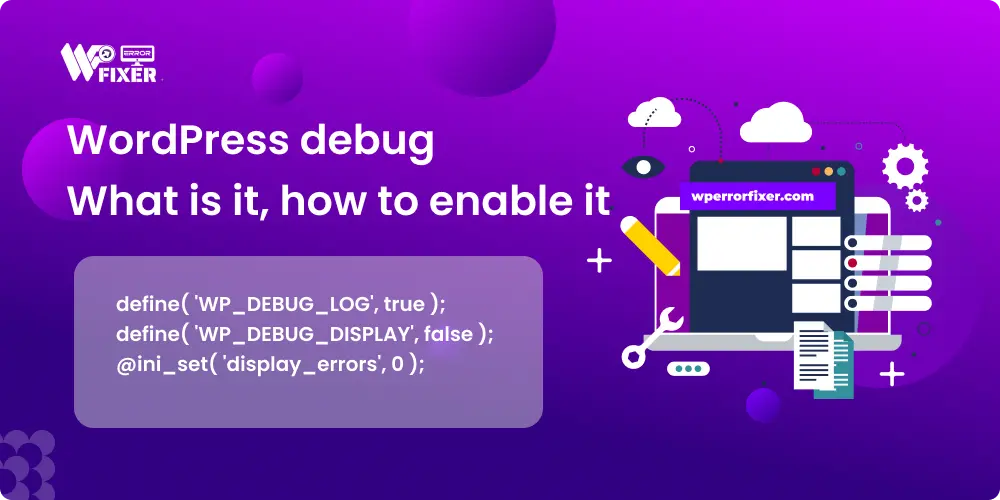
Stop the Stress: The Startup’s Simple Guide to WordPress Debugging
Running a startup means you’re moving fast, and sometimes, things break. If your WordPress site suddenly throws a white screen, a weird error message, or just isn’t behaving, your first
How to Fix WordPress Login Issues: Step-by-Step Troubleshooting Guide
There are few feelings as frustrating as trying to log into your WordPress site—the heart of your business or blog—only to be met with a stubborn Invalid Username or a
